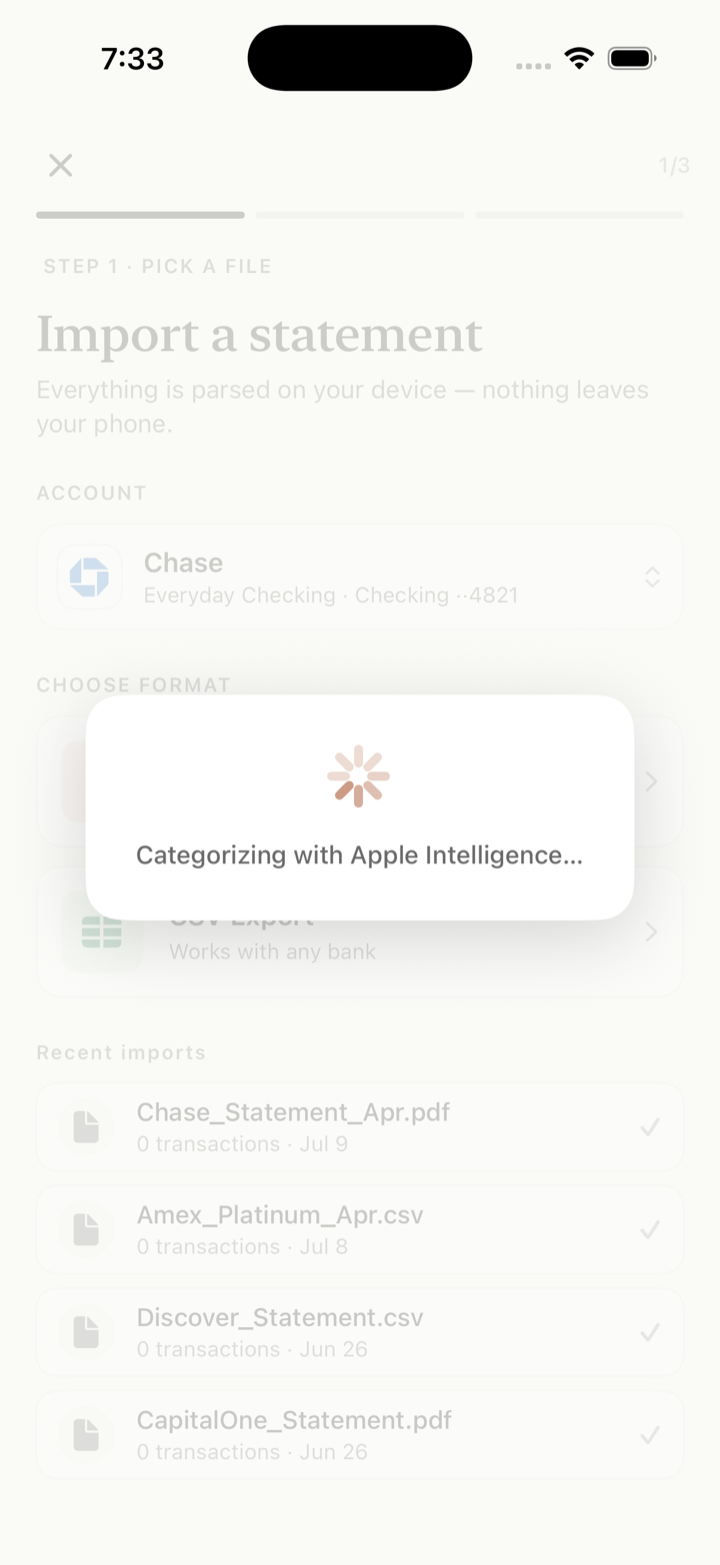
Drop in a statement
PDF or CSV. Parsed and categorized on-device — with Apple Intelligence on supported iPhones.
Offin reads statements from any bank, auto-tracks Apple Pay taps, and takes cash by voice — then turns it all into budgets, trends, and a monthly review. Buy it once and it's yours on iPhone, iPad and Mac. Without an account, the cloud, or a monthly fee.
Offin is a Universal Purchase on the App Store — buy it on one device and it's already yours on the others, under the same Apple Account. Same engine, same on-device privacy, an interface built natively for each screen.
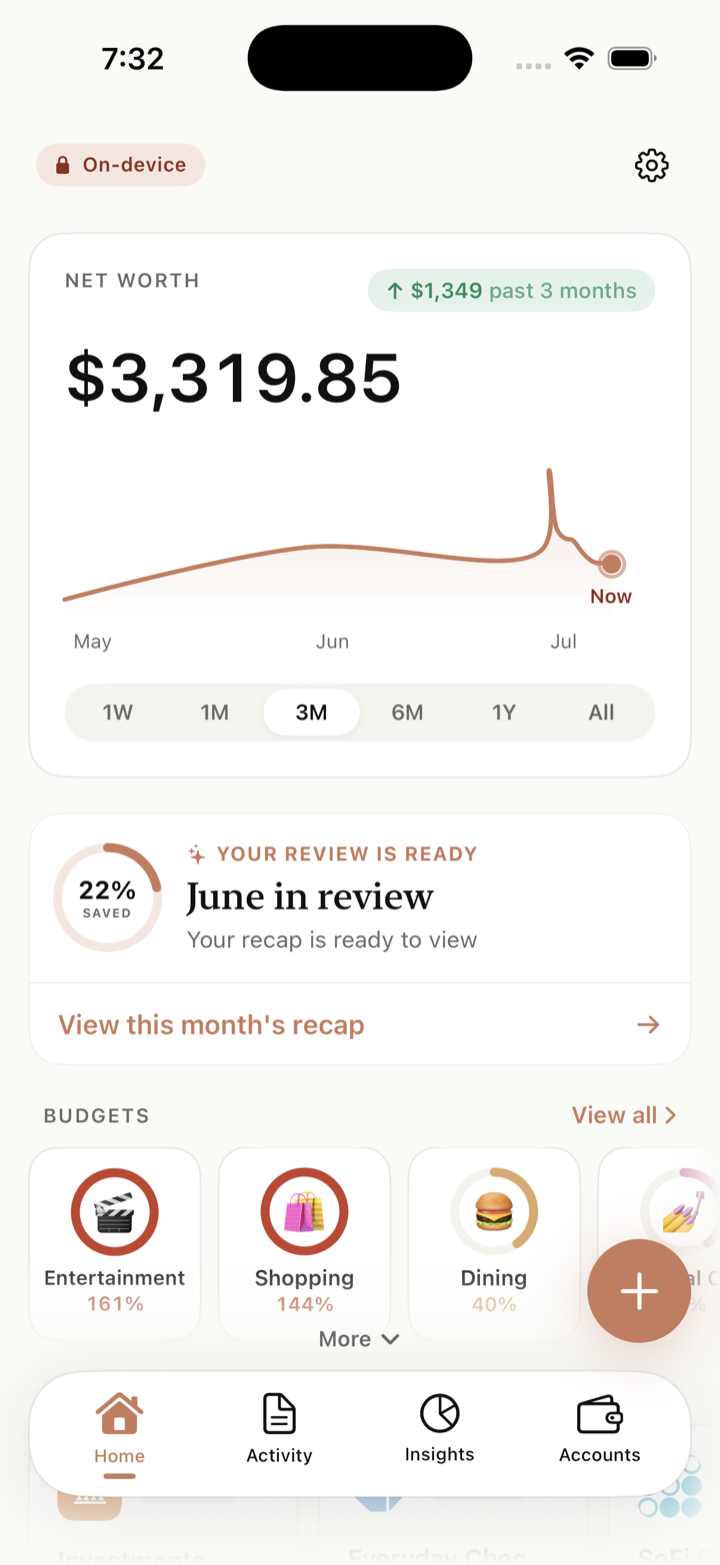
The whole ledger in your pocket. Apple Pay taps log themselves, cash goes in by voice, and Face ID keeps the app shut until it's you.
The same app with room to breathe — the spending wheel, budget rings, and long transaction lists on a full-size canvas, in any orientation.
A real Mac app — not a stretched phone. Sidebar navigation, statements you drag straight onto the window, and menu-bar commands with keyboard shortcuts.
Chase, Amex, your local credit union — drop in a PDF or CSV statement and Offin reads every transaction on your device. No typing, no login, no aggregator.
One reader, every bank — no template to choose. Offin figures out each statement's layout as it reads it, so a bank it has never seen still imports clean. It all runs on your own device — iPhone, iPad, or Mac. Nothing is uploaded, and there's no Plaid or aggregator in the loop.
One loop, the whole story — money comes in three ways, and Offin sorts it and charts it. No account, no connection, nothing leaves your device. Turn on airplane mode and everything still works.
Drop in a PDF or CSV once a month — every transaction read on-device.
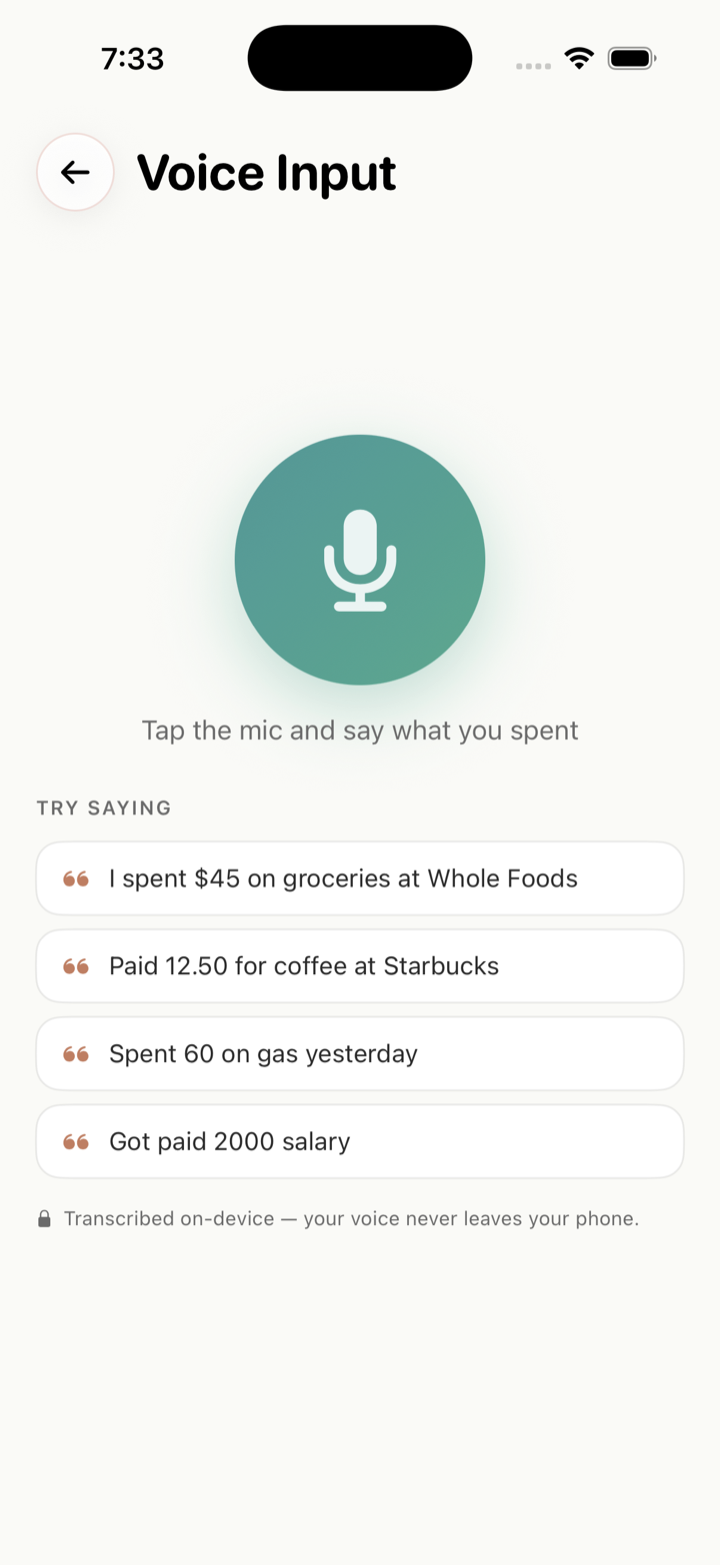
“Spent 60 on gas yesterday” — transcribed and parsed on your device.
Set up the Shortcut once — every in-store tap flows in the instant you pay.
Most banks let you download statements right in their app — then it's just Share → Offin.
PDF or CSV. Parsed and categorized on-device — with Apple Intelligence on supported iPhones.
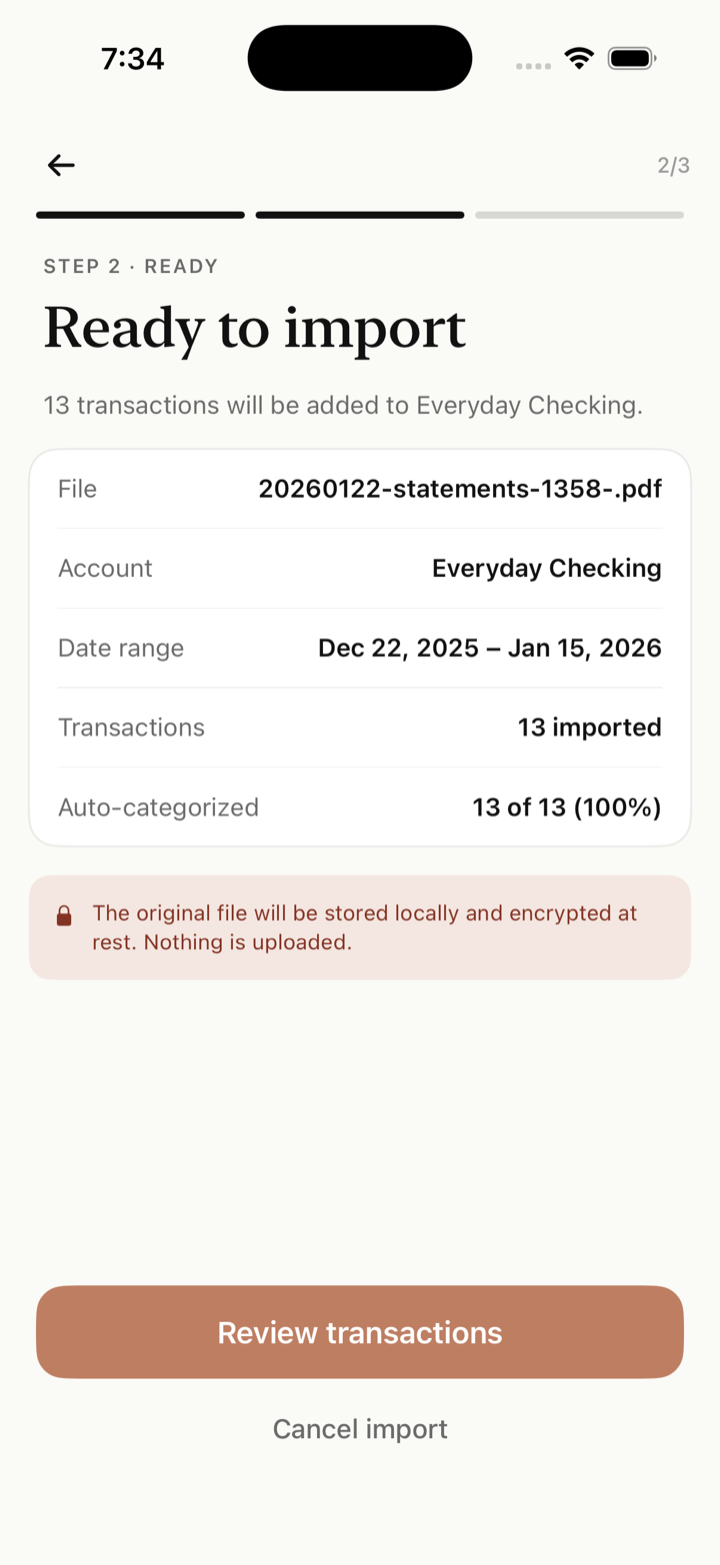
See the date range, count, and auto-categorization rate before anything lands. Duplicates are caught automatically.
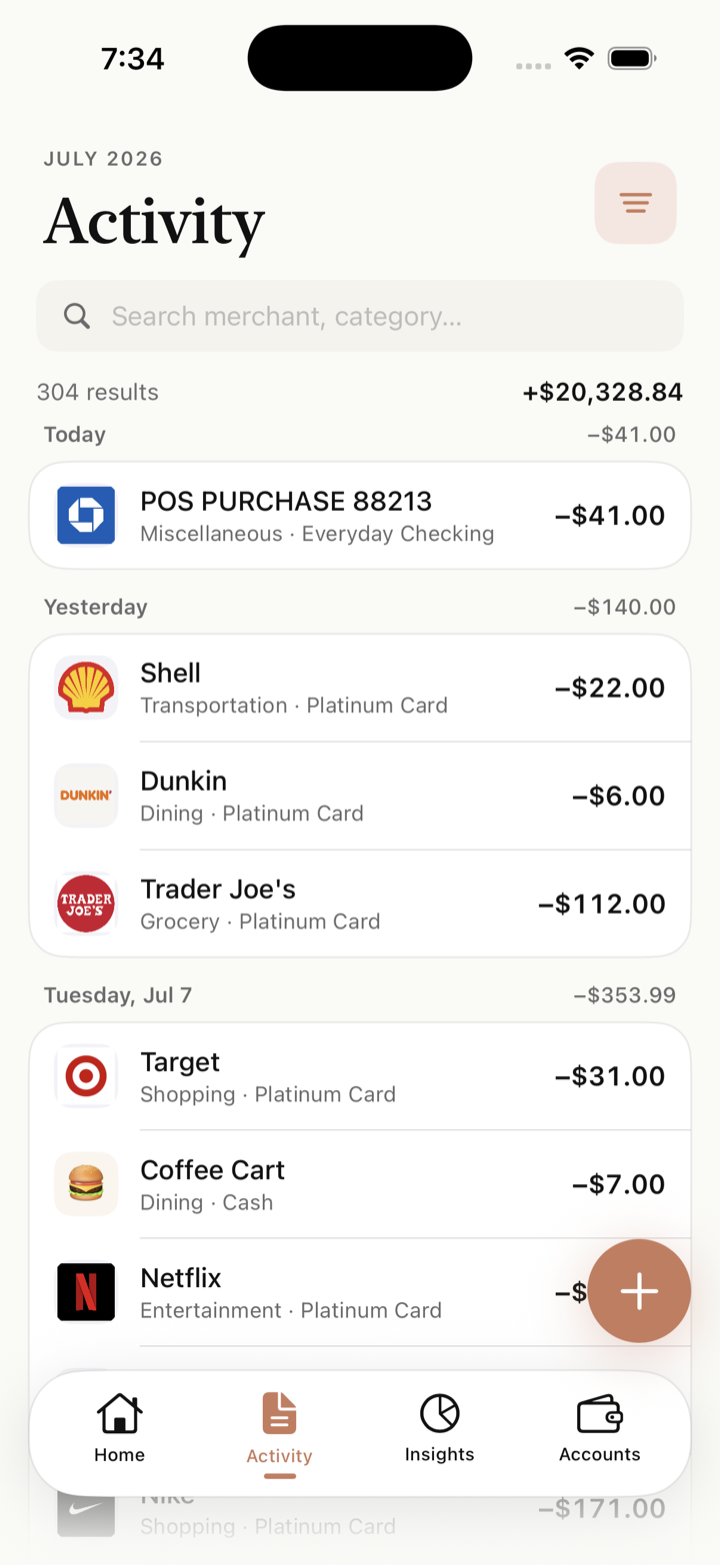
Merchants recognized, logos matched, categories assigned. Search anything, fix anything with one tap.
Offin focuses on the handful of things that actually help you understand your money — and skips the rest.
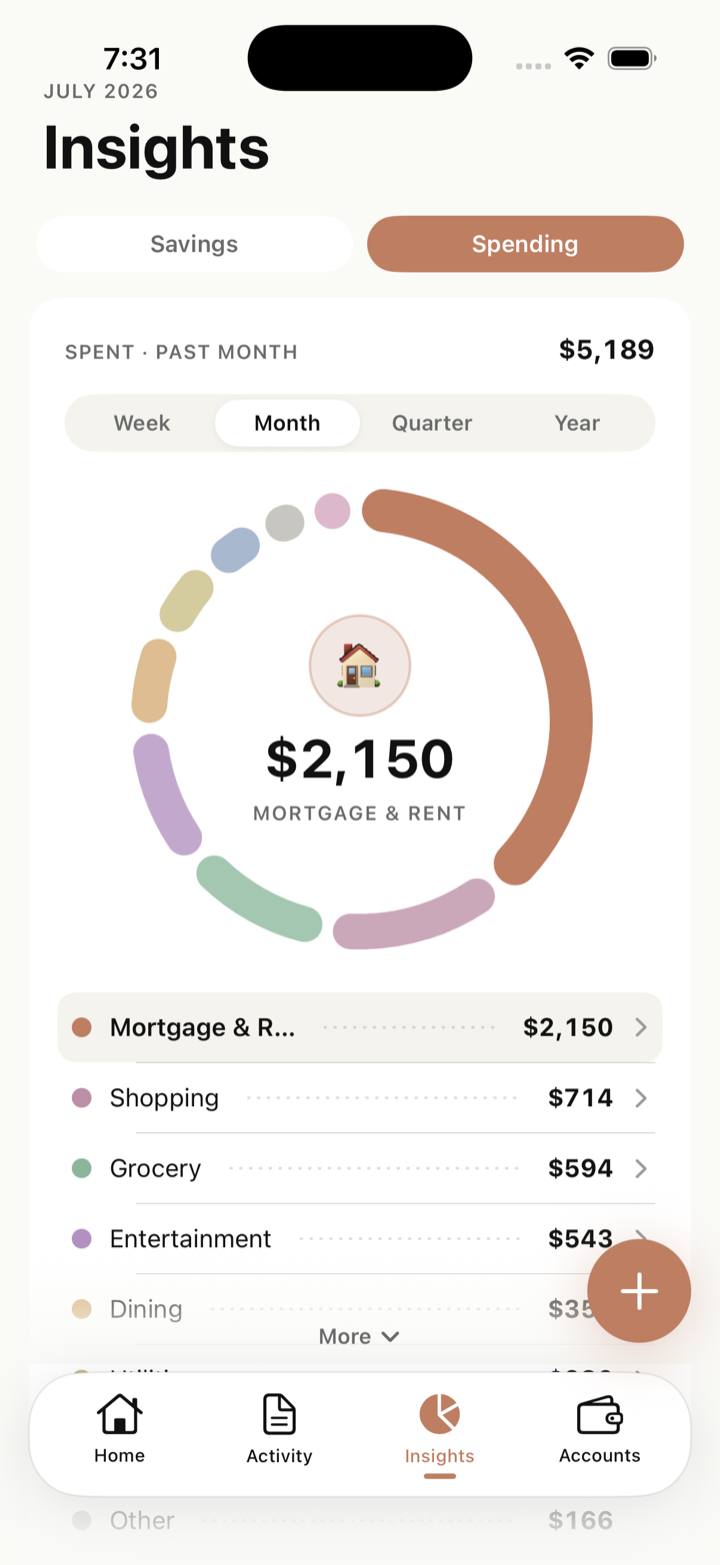
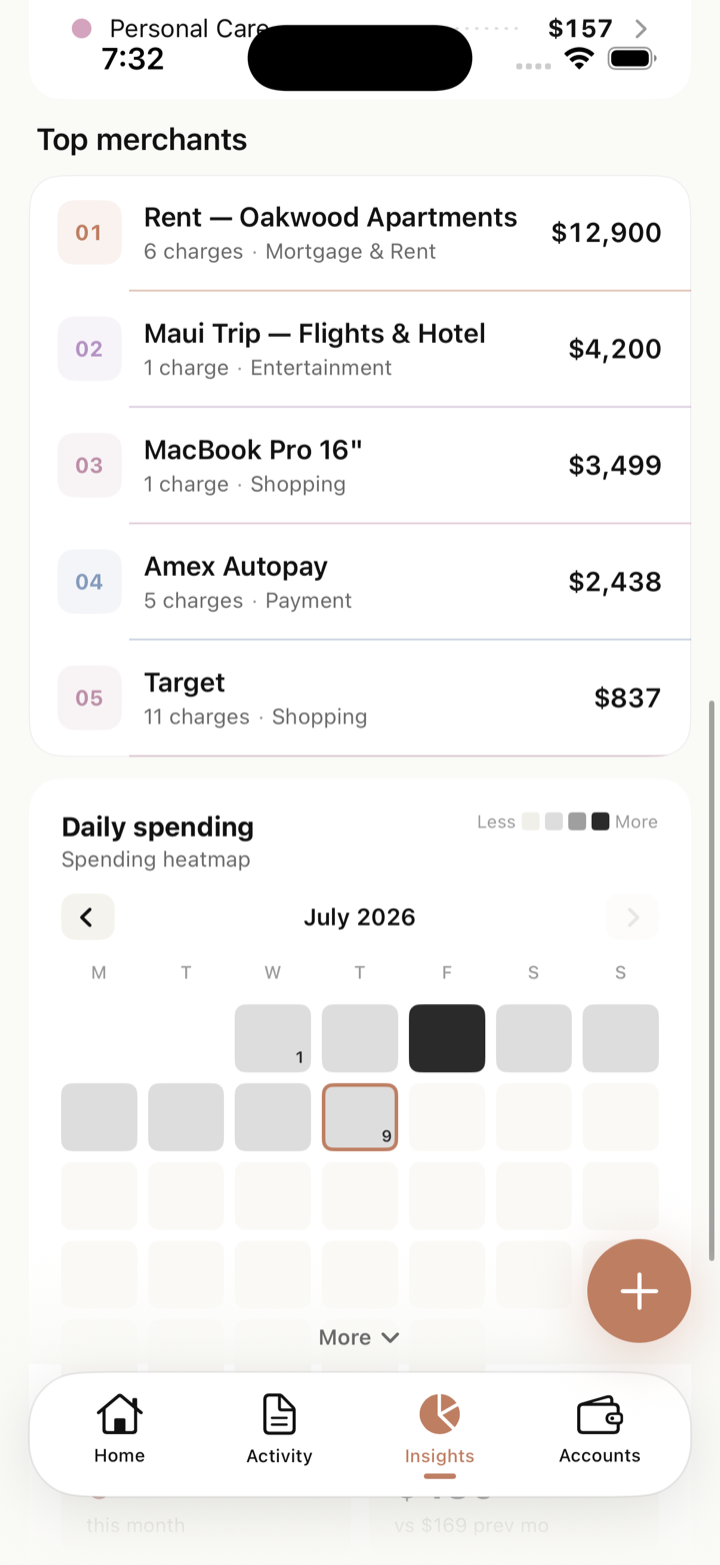
A spending wheel by category, top merchants, and month-over-month trends — tap any slice to drill in.
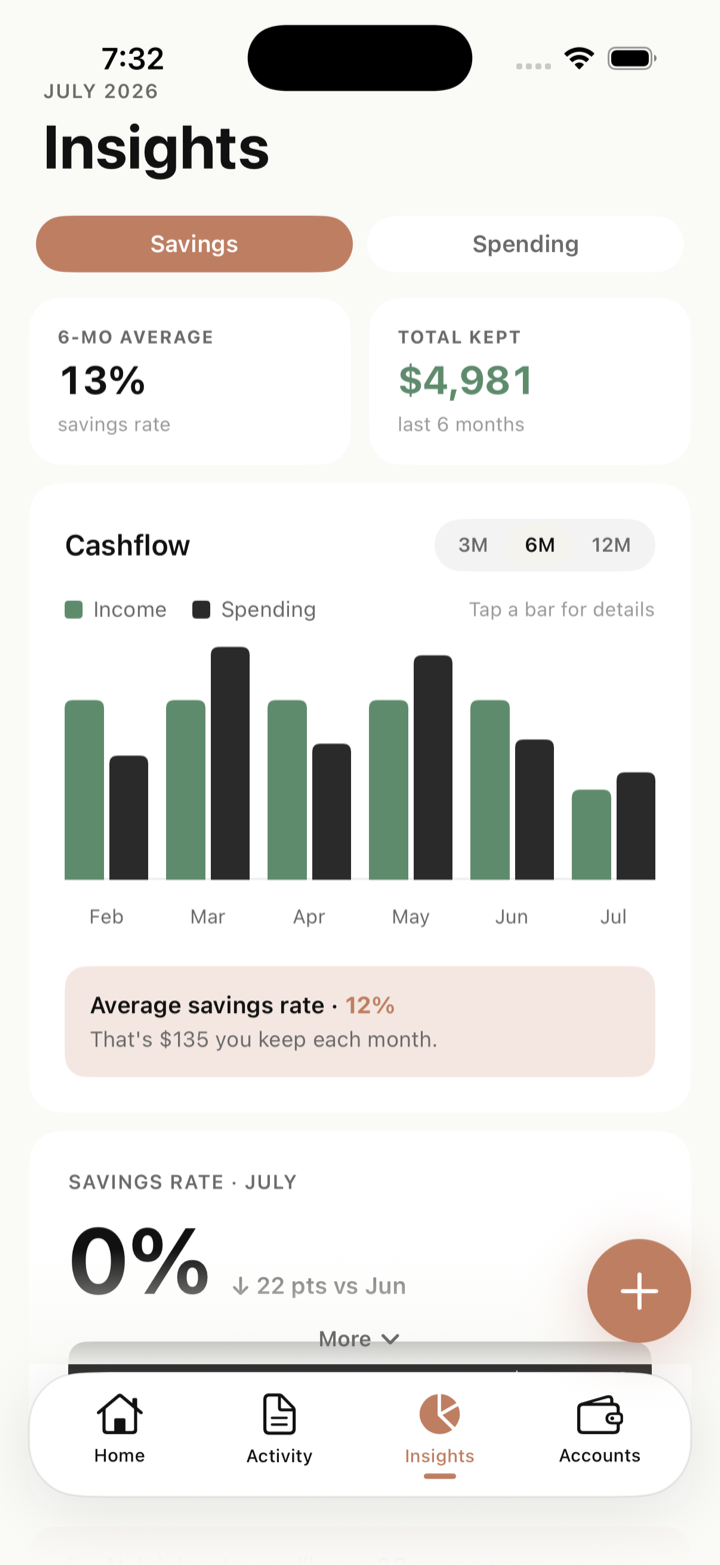
Income vs. spending, every month — your savings rate, tracked automatically.
12% avg savings rate · that's $135 kept each month
Set limits per category. Rings fill as the month goes — red only when it matters.
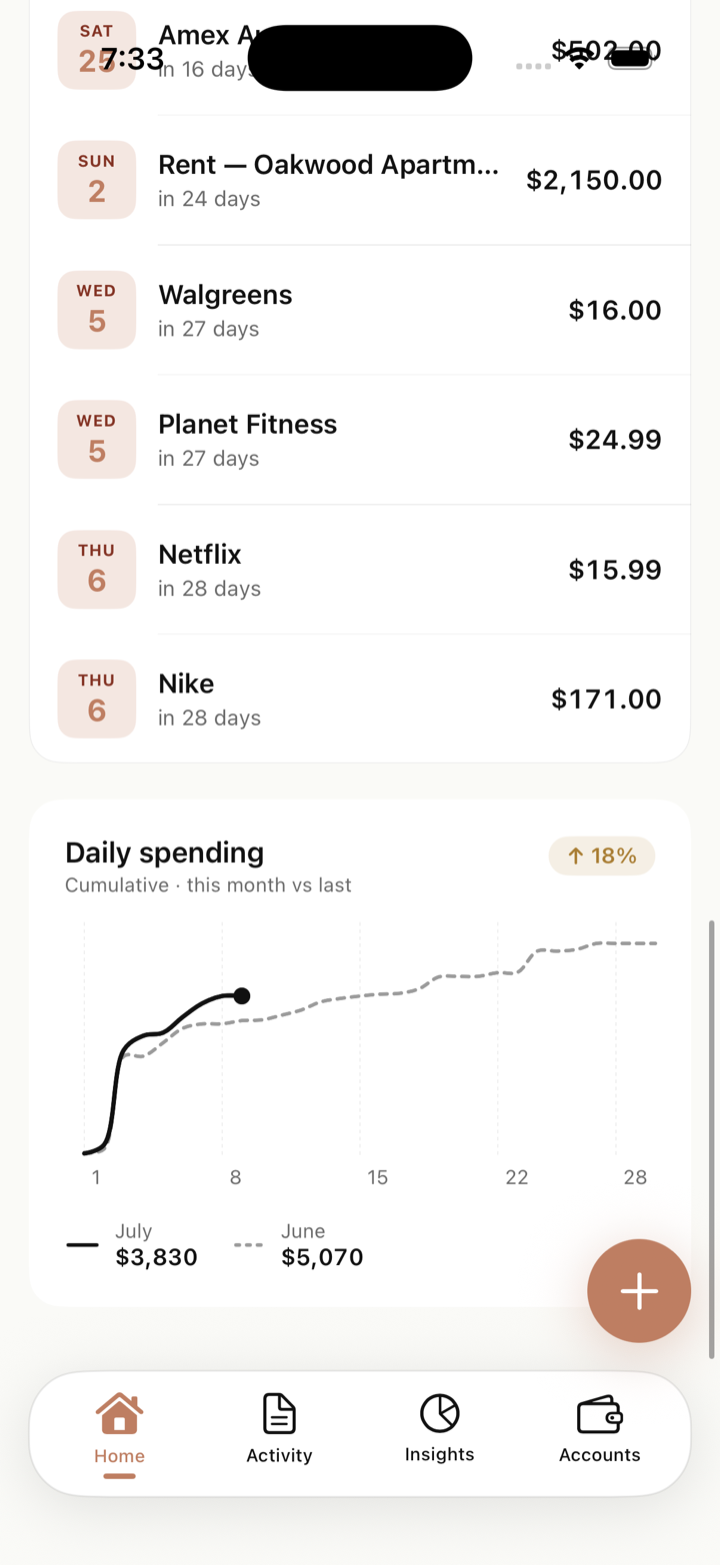
The recurring-charge radar spots your bills and shows what's due next — before it hits.
Every month, Offin builds a review of what came in, what went out, and what changed.
A daily heatmap of your spending — build streaks of quiet days.
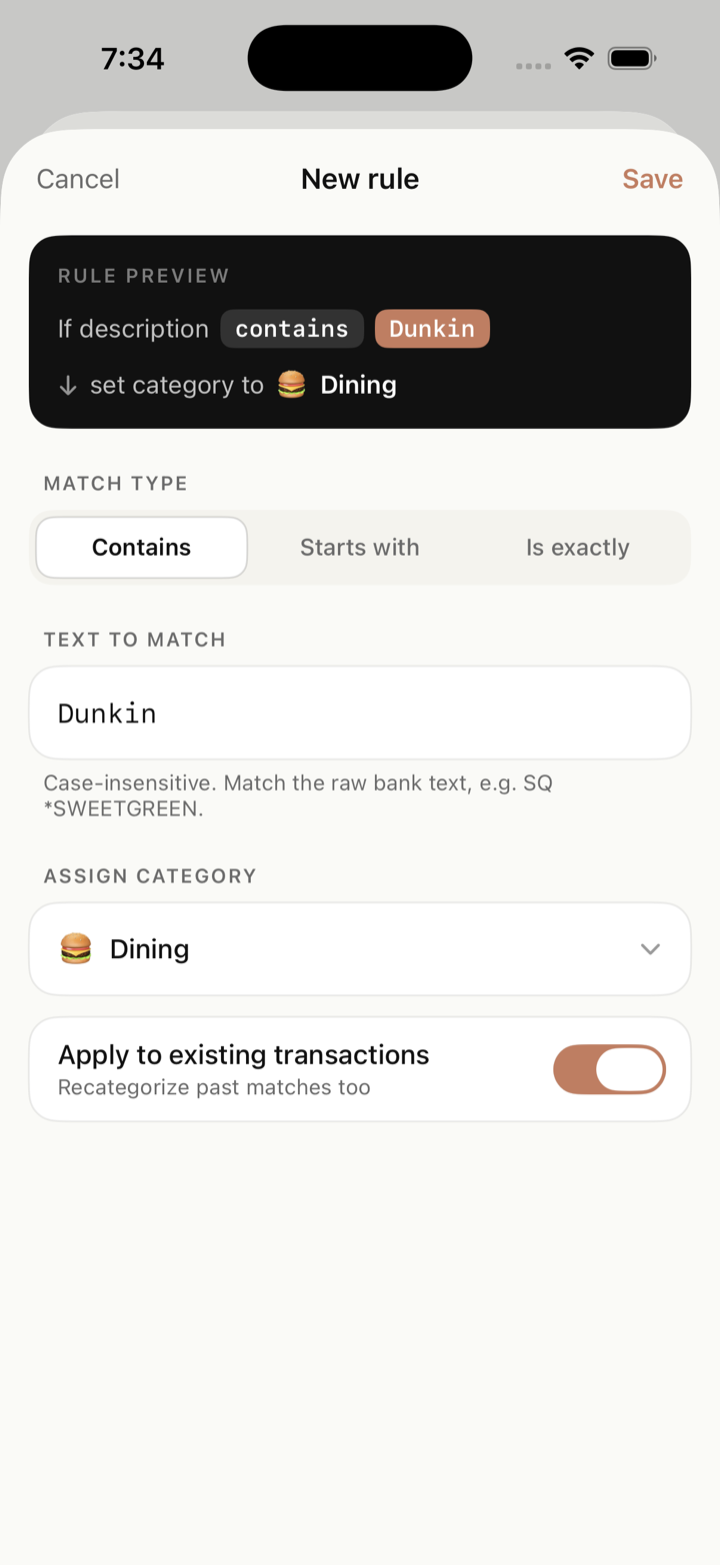
Create a rule from any transaction — future (and past) matches categorize themselves.
Face ID app lock on iPhone and iPad, files encrypted at rest, and a private iCloud backup on your account — never ours.
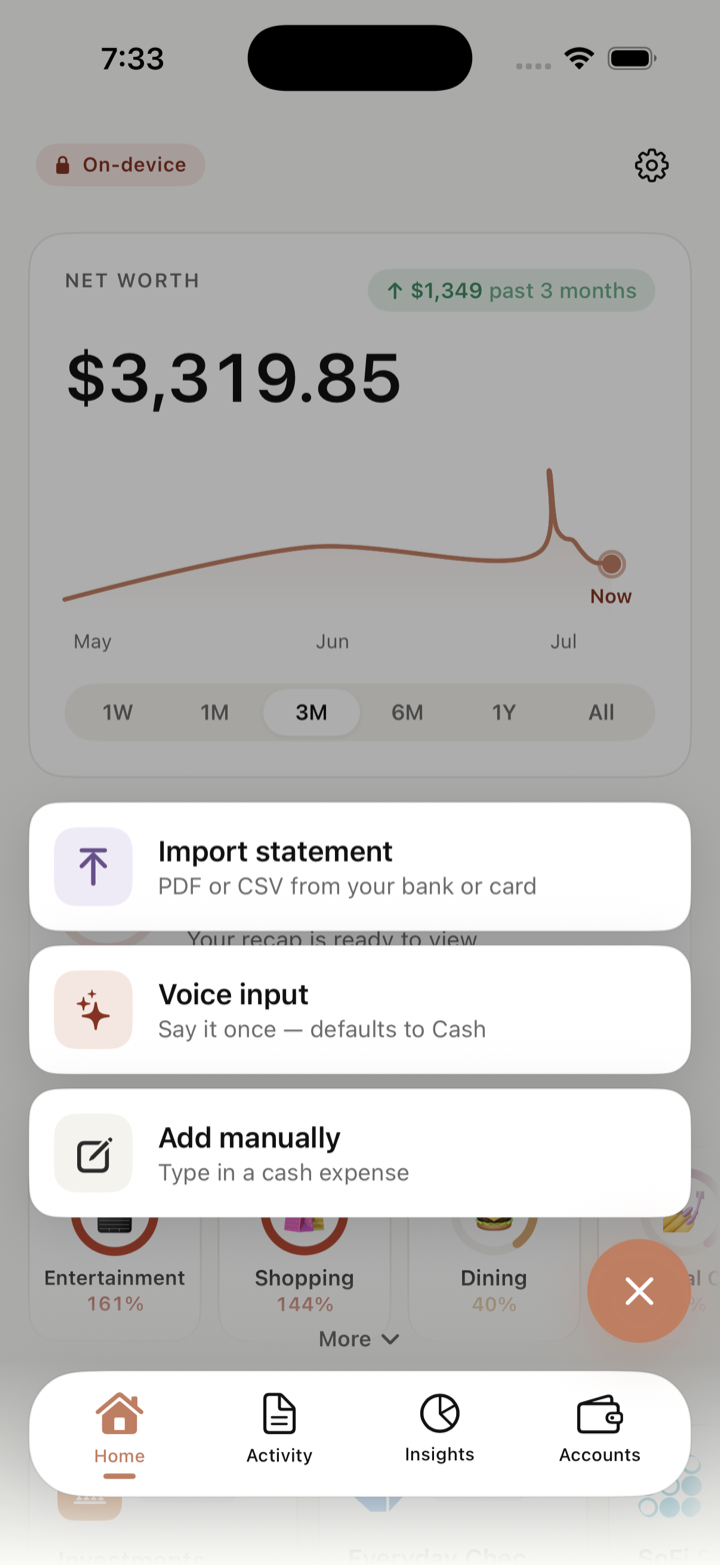
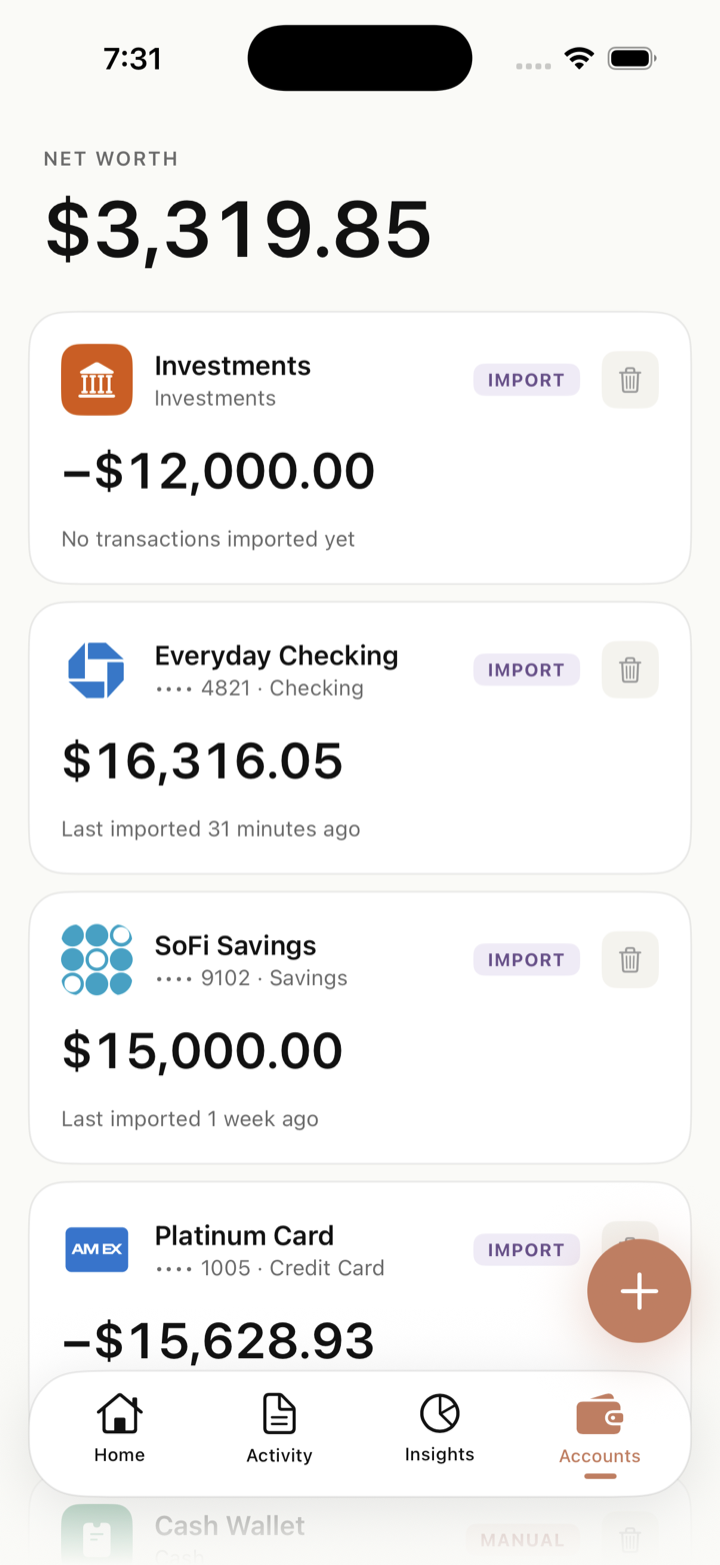
Real screenshots, straight from the app. Swipe through →
Most finance apps work by handing your bank login to a third-party aggregator and copying your transactions to their servers. Offin refuses the whole model — on every device it runs on.
Your bank credentials stay with your bank. Offin never asks for them — there's no Plaid, no aggregator.
Parsing, categorization, insights — all computed on your iPhone, iPad, or Mac. There is no Offin cloud to breach.
No sign-up, no email, no password. Open the app and start.
The app has no ads, no analytics SDKs, no selling data. Our business model is you buying the app — once. (This website uses basic, privacy-respecting analytics to count page visits — see our privacy policy.)
Backup? Your data backs up to your private iCloud — encrypted, on your Apple account, invisible to us.
Others trade your privacy for convenience, then bill you every year for it. Offin trades ~30 seconds a month for full privacy — and asks for one payment, covering iPhone, iPad and Mac.
| Feature | Offin | Copilot Money | YNAB | Rocket Money |
|---|---|---|---|---|
| Price | One-time | $95/yr | $109/yr | $72/yr + |
| Pay once — covers iPhone, iPad & Mac | ✓ | ✕ | ✕ | ✕ |
| 100% on-device — no cloud | ✓ | ✕ | ✕ | ✕ |
| No account or login required | ✓ | ✕ | ✕ | ✕ |
| No bank linking (Plaid) needed | ✓ | ✕ | ✕ | ✕ |
| How transactions get in | You import | Auto bank sync | Auto bank sync | Auto bank sync |
| PDF & CSV import — any bank | ✓ | CSV only | CSV only | ✕ |
| Apple Pay auto-tracking | ✓ | ✕ | ✕ | ✕ |
| No ads, never sells your data | ✓ | ✓ | ✓ | ✕ |
Comparison based on publicly listed features and pricing as of 2026. Third-party names belong to their respective owners.
One payment unlocks Offin on iPhone, iPad and Mac — a Universal Purchase, so buying it on one device unlocks the rest. No subscription, no tier upgrades, no “Pro” features held hostage. A 3-day free trial is built in — your data stays even if you don't buy.
Three ways: import a PDF or CSV statement from your bank (about 30 seconds a month — drag it onto the window on Mac), log cash by voice or a quick form, and let the Apple Pay Shortcut auto-capture in-store taps the instant you pay on iPhone. Everything is parsed on-device.
Any of them. Chase, Bank of America, American Express, and Discover have dedicated, finely-tuned parsers, and a universal on-device parser reads statements from virtually any other bank — PDF or CSV. It works best with U.S. banks; on some layouts a transaction or two may need a quick fix, so Offin always shows you everything to review before it's saved.
You set up the Offin Shortcut once. From then on, every in-store Apple Pay tap sends the merchant, amount, and time straight into Offin on your phone — no server involved, no bank connection needed.
Offin backs up to your private iCloud — on your Apple Account, encrypted, invisible to us. Set up a new phone (or open Offin on your Mac) and restore that backup, and your history comes straight back.
No. Offin ships as a Universal Purchase on the App Store, so the iPhone, iPad, and Mac apps are one product with one price. Buy it on any of them and it unlocks on the rest — just download it on the other device while signed in to the same Apple Account. Future updates are included everywhere too.
Not automatically — and that's deliberate. Each device keeps its own separate backup in your private iCloud, and nothing is merged behind your back. To carry your ledger from your iPhone to your Mac (or the other way), back up on the first device and then, in Settings on the second, restore that backup — you pick which snapshot to use, and it replaces that device's data. It keeps things simple and predictable: you always know which set of books you're looking at.
Yes. Pay once, use it forever on every Apple device you own — iPhone, iPad, and Mac — including future updates. There's a 3-day free trial built in, and your data stays on your device even if you decide not to buy.
Yes — the app ships with a demo mode seeded with sample data, so you can explore every screen before touching a real statement.